<!DOCTYPE html>
<html lang="en">
<head>
<meta charset="UTF-8">
<meta name="viewport" content="width=device-width, initial-scale=1.0">
<title>Shopping Cart</title>
<style>
body {
background-color: #555555;
font-family: Arial, sans-serif;
margin: 0;
padding: 25px;
}
.cart-container {
background-color: #ffffff;
max-width: 800px;
margin: 20px auto;
padding: 25px 30px;
border-radius: 8px;
box-shadow: 0 4px 12px rgba(0, 0, 0, 0.25);
text-align: center;
}
.cart-container h2 {
margin-bottom: 20px;
color: #1e293b;
font-size: 24px;
}
.cart-container table {
width: 100%;
border-collapse: collapse;
margin-bottom: 20px;
}
.cart-container th,
.cart-container td {
border: 1px solid #e2e8f0;
padding: 12px;
text-align: left;
}
.cart-container th {
background-color: #f1f5f9;
color: #334155;
font-weight: 700;
}
.cart-container td {
color: #475569;
}
.cart-container p {
font-size: 18px;
font-weight: bold;
color: #1e293b;
margin-top: 20px;
}
.cart-container button {
background-color: #0ea5e9;
color: #ffffff;
font-size: 16px;
font-weight: 600;
padding: 12px 28px;
border: none;
border-radius: 6px;
cursor: pointer;
transition: background-color 0.2s;
}
.cart-container button:hover {
background-color: #0284c7;
}
</style>
</head>
<body>
<div class="cart-container">
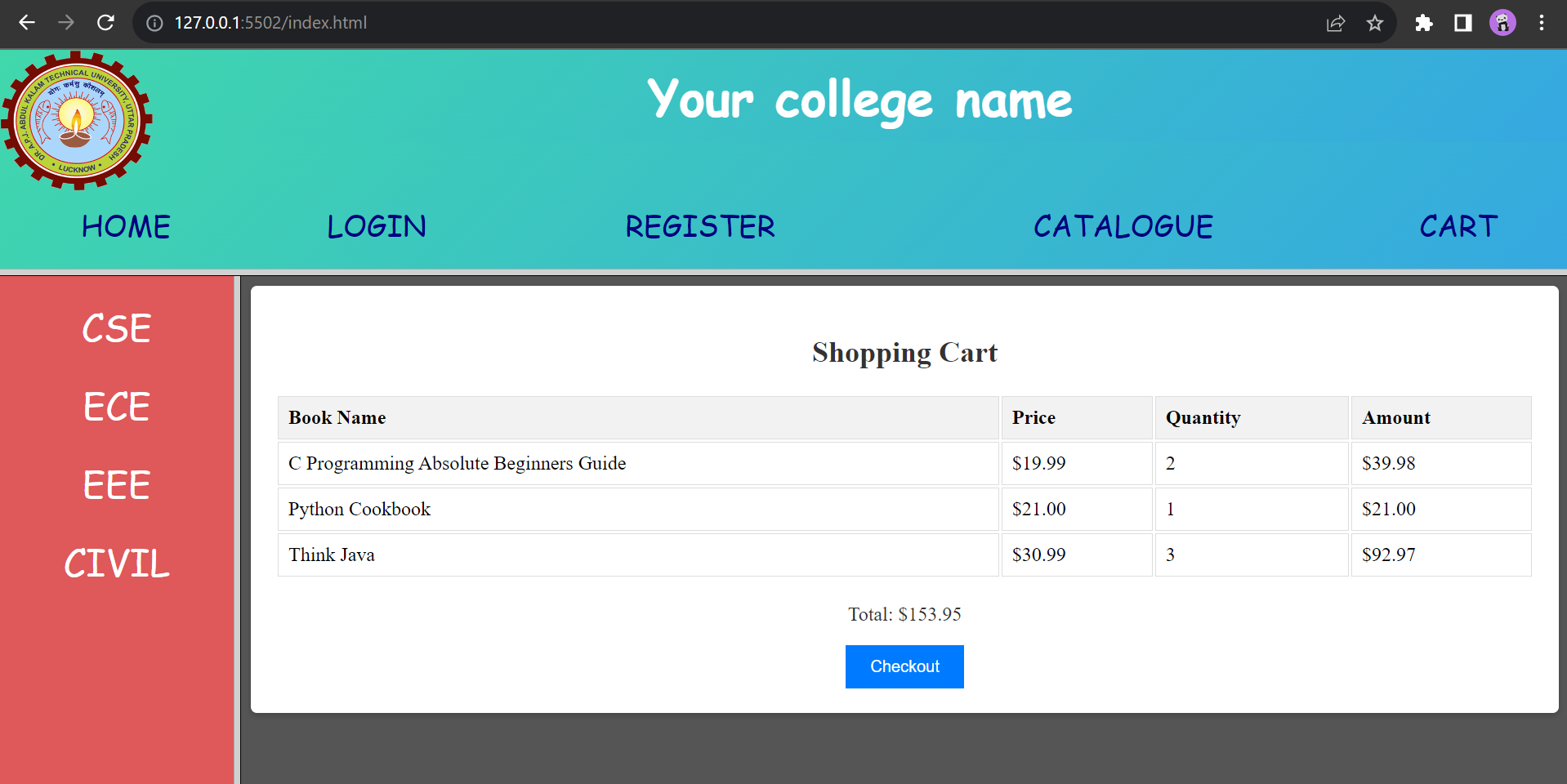
<h2>Shopping Cart Items</h2>
<table>
<thead>
<tr>
<th>Book Name</th>
<th>Price</th>
<th>Quantity</th>
<th>Subtotal</th>
</tr>
</thead>
<tbody id="cart-items"></tbody>
</table>
<p>Total Payable: $<span id="cart-total">0.00</span></p>
<button onclick="checkout()">Proceed to Checkout</button>
</div>
<script>
function updateCart() {
let cart = JSON.parse(localStorage.getItem('cart')) || [];
let total = parseFloat(localStorage.getItem('total')) || 0;
const cartItems = document.getElementById('cart-items');
const cartTotal = document.getElementById('cart-total');
cartItems.innerHTML = "";
if (cart.length === 0) {
cartItems.innerHTML = '<tr><td colspan="4" style="text-align:center; padding: 20px;">Your cart is empty. Add books from the catalogue!</td></tr>';
cartTotal.textContent = "0.00";
return;
}
cart.forEach((item) => {
const tr = document.createElement('tr');
tr.innerHTML = `
<td>${item.title}</td>
<td>$${item.price.toFixed(2)}</td>
<td>${item.quantity}</td>
<td>$${item.amount.toFixed(2)}</td>
`;
cartItems.appendChild(tr);
});
cartTotal.textContent = isNaN(total) ? "0.00" : total.toFixed(2);
}
function checkout() {
let total = localStorage.getItem('total') || '0.00';
alert(`Thank you for your order! Grand Total: $${total}`);
localStorage.removeItem('cart');
localStorage.removeItem('total');
updateCart();
}
window.onload = function () {
updateCart();
};
</script>
</body>
</html>