Home / Web Designing Lab / Experiment 1 & 2

Static Bookstore Homepage (3 Frames) & User Login System

Objective: Design the static home page for an online bookstore consisting of three frames:
• Top frame (30%): College emblem, university header, and global navigation menu (Home, Login, Registration, Catalogue, Cart) targeting the right frame.
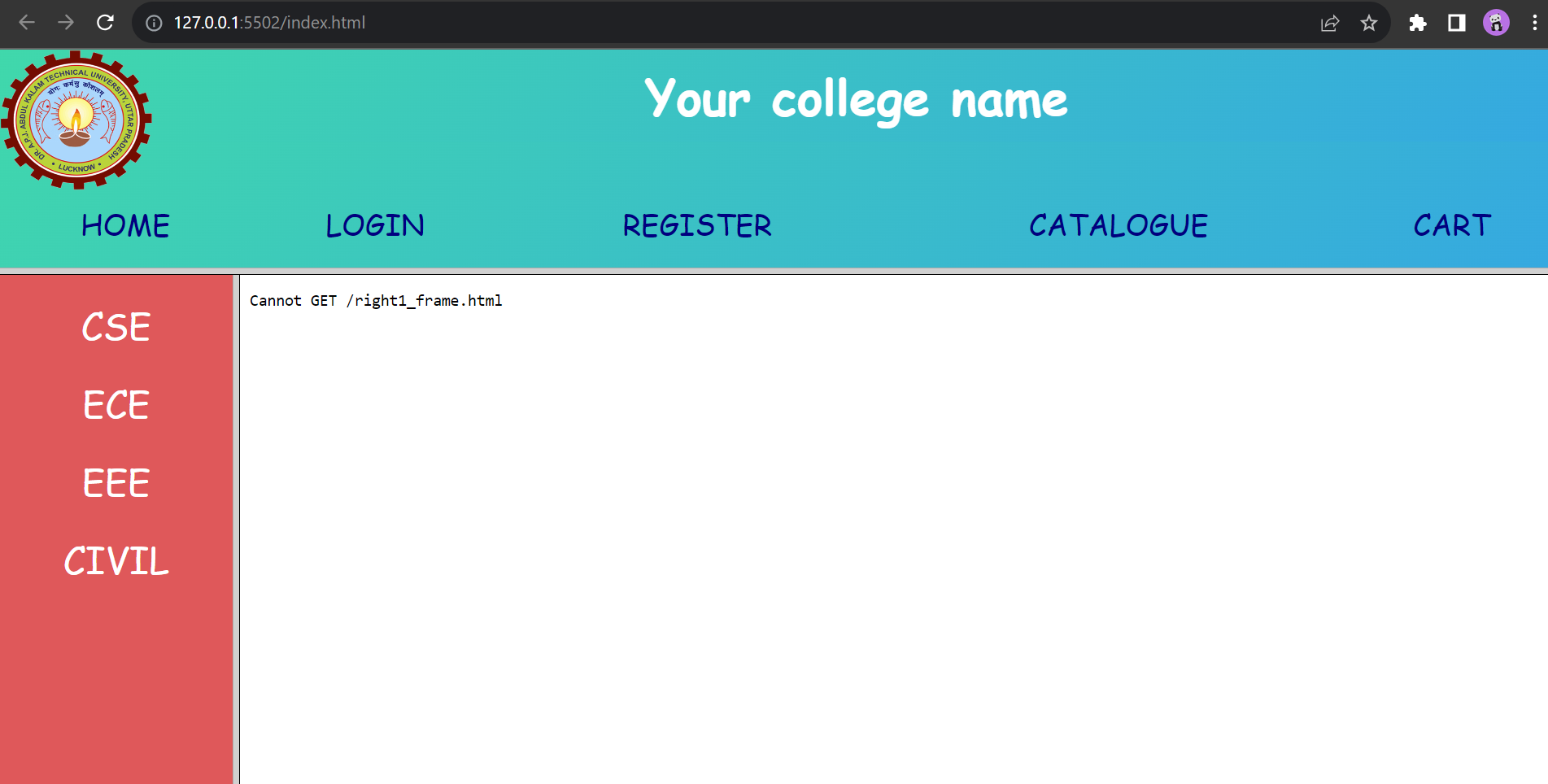
• Left frame (15%): Department catalogue links (CSE, ECE, EEE, Civil) that update the right frame.
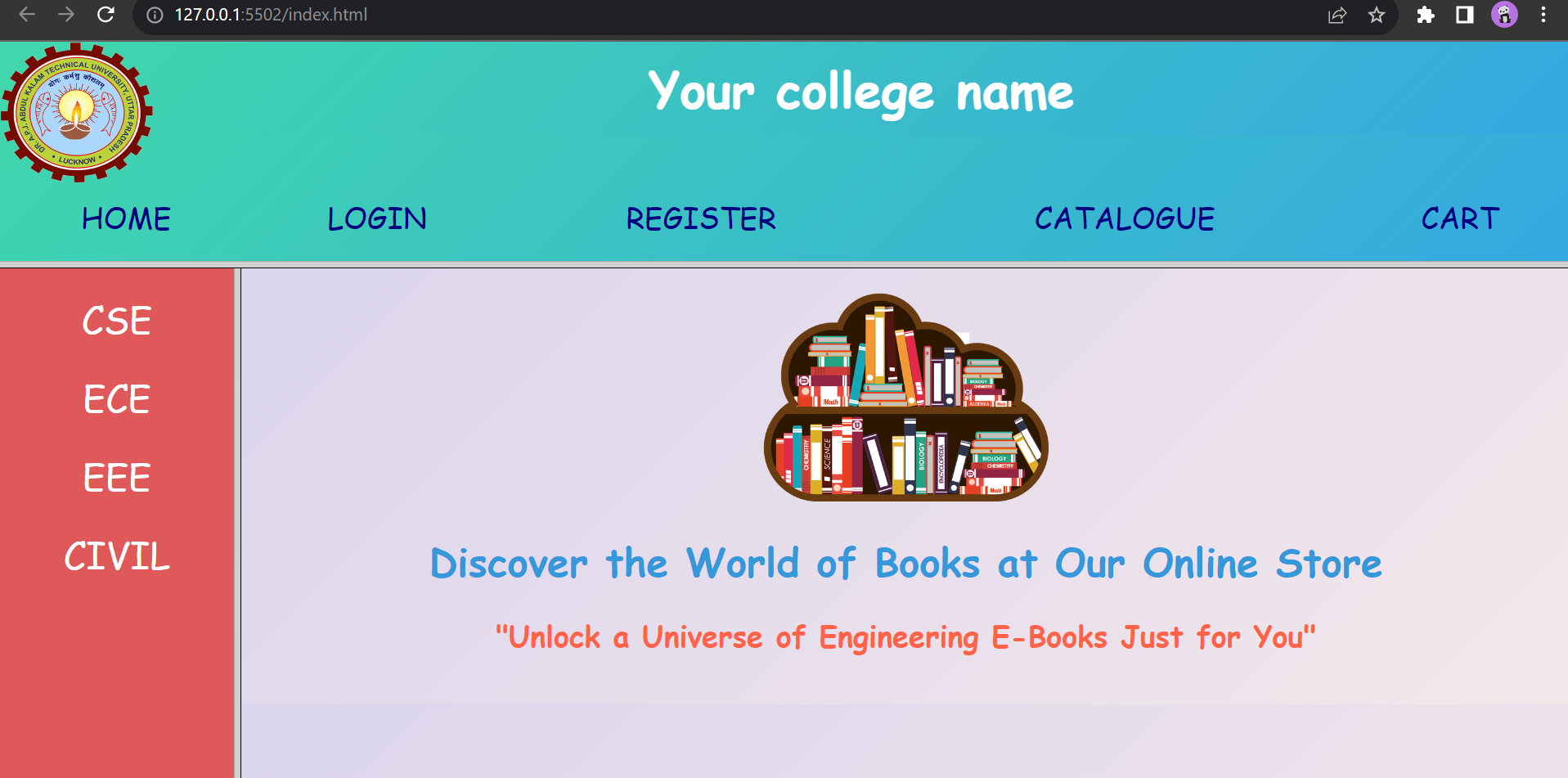
• Right frame (85%): Landing description billboard and destination views for all clicked links.
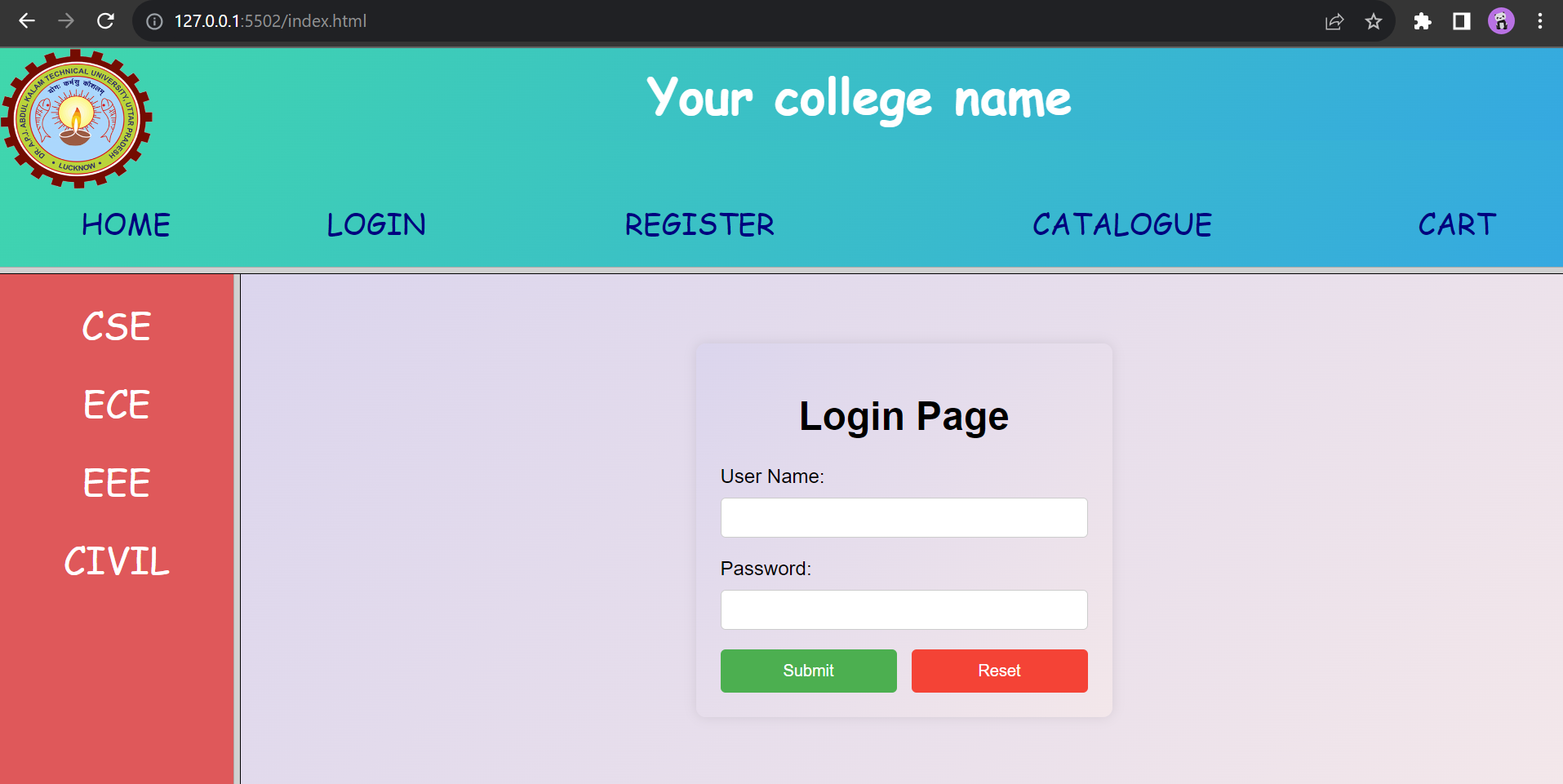
• Login page: Centered credentials form with user authentication and redirection to the catalogue.

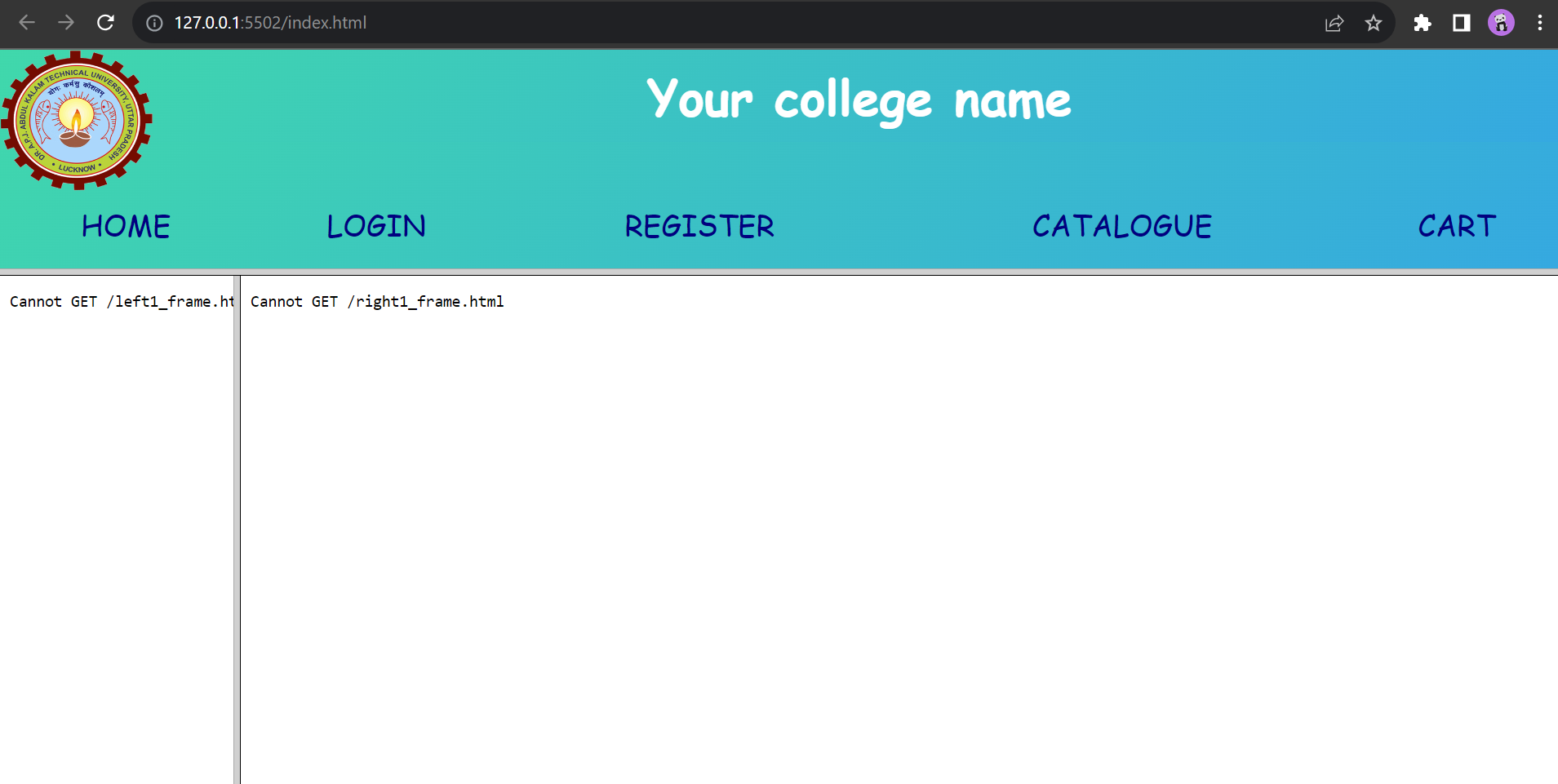
Important Execution Rule: Always Run index.html

Because this project uses HTML <frameset>, always launch index.html in your browser (or with VS Code Live Server). index.html creates the layout boundaries and automatically mounts top_frame.html, left_frame.html, and right_frame.html simultaneously. Ensure all files sit in the same folder.

File 1 of 5

index.html

Master Frameset Container

Defines the 3-frame layout: top frame takes 30% height; bottom splits into 15% left column and 85% right column.

index.html
<!DOCTYPE html>
<html lang="en">
<head>
    <meta charset="UTF-8">
    <title>College Web Project</title>
    <link rel="stylesheet" href="styles.css">
</head>

<!-- 30% top row, remaining height for lower frames -->
<frameset rows="30%,*">
    <frame src="top_frame.html" noresize scrolling="NO" name="topframe" style="height: 30px;">
    <!-- 15% left navigation column, remaining for main right content -->
    <frameset cols="15%,*">
        <frame src="left_frame.html" noresize scrolling="NO" name="leftframe">
        <frame src="right_frame.html" noresize scrolling="auto" name="rightframe">
    </frameset>
</frameset>
</html>
http://127.0.0.1:5500/index.html
Live Output
3-Frame Architecture Output
Click to Enlarge
File 2 of 5

top_frame.html

Header & Global Navigation

Contains the college logo, academy title banner, and horizontal navigation bar with links targeting rightframe.

top_frame.html
<!DOCTYPE html>
<html>
<head>
    <title>Top Frame</title>
    <style>
        body {
            background: linear-gradient(135deg, #40D8AB, #35A8E1);
            margin: 0;
            padding: 0;
            font-family: 'Pacifico', cursive;
        }
        #logo {
            float: left;
            margin-right: 10px;
        }
        #header {
            background: linear-gradient(135deg, #40D8AB, #35A8E1);
            color: white;
            text-align: center;
            padding: 10px;
        }
        #header h1 {
            font-size: 40px;
            margin: 0;
        }
        #navigation {
            width: 100%;
            height: 50%;
            margin: 20px 0;
        }
        #navigation table {
            width: 100%;
            height: 100%;
            border-spacing: 10px;
        }
        #navigation td {
            text-align: center;
        }
        #navigation a {
            text-decoration: none;
            font-size: 24px;
            color: navy;
        }
        #navigation a:hover {
            text-decoration: underline;
        }
    </style>
</head>
<body>
    <img id="logo" src="images/JSS_Logo.png" width="125" height="115" alt="College Logo">
    <div id="header">
        <h1>JSS Academy of Technical Education</h1>
    </div>
    <div id="navigation">
        <table>
            <tr>
                <td><a href="right_frame.html" target="rightframe">HOME</a></td>
                <td><a href="login.html" target="rightframe">LOGIN</a></td>
                <td><a href="registration.html" target="rightframe">REGISTER</a></td>
                <td><a href="catalogue.html" target="rightframe">CATALOGUE</a></td>
                <td><a href="cart.html" target="rightframe">CART</a></td>
            </tr>
        </table>
    </div>
</body>
</html>
http://127.0.0.1:5500/top_frame.html
Live Output
Top Frame Banner
Click to Enlarge
File 3 of 5

left_frame.html

Department Menu Sidebar

Vertical sidebar navigation with branch catalogue links (CSE, ECE, EEE, CIVIL) using target="rightframe".

left_frame.html
<!DOCTYPE html>
<html lang="en">
<head>
    <style>
        body {
            text-align: center;
            background-color: #DF585A;
            font-family: 'Pacifico', cursive;
            margin: 0;
            padding: 20px;
        }
        a {
            text-decoration: none;
            color: white;
            font-size: 30px;
        }
        a:hover {
            color: lightgray;
        }
    </style>
</head>
<body>
    <a href="catalogue.html" target="rightframe">CSE</a><br><br>
    <a href="ece_catalogue.html" target="rightframe">ECE</a><br><br>
    <a href="eee_catalogue.html" target="rightframe">EEE</a><br><br>
    <a href="civil_catalogue.html" target="rightframe">CIVIL</a><br>
</body>
</html>
http://127.0.0.1:5500/left_frame.html
Live Output
Left Frame Branch Navigation
Click to Enlarge
File 4 of 5

right_frame.html

Main Welcome Billboard

The default landing view in the right frame presenting bookstore greetings, promotion graphics, and tagline.

right_frame.html
<!DOCTYPE html>
<html lang="en">
<head>
    <style>
        body {
            background: linear-gradient(135deg, #DBD5ED, #F3E7EA);
            text-align: center;
            margin: 0;
            padding: 20px;
            font-family: 'Pacifico', cursive;
        }
        img {
            height: 170px;
        }
        h1 {
            font-size: 32px;
            color: #3498db;
        }
        h2 {
            font-size: 24px;
            color: #FF6347;
        }
    </style>
</head>
<body>
    <center>
        <img src="https://www.pngkey.com/png/full/443-4432695_school-library-online-book-store.png" alt="Books" height="170"><br>
        <h1><b>Discover the World of Books at JSS Online Store</b></h1>
        <h2><b>"Unlock a Universe of Engineering E-Books Just for You"</b></h2>
    </center>
</body>
</html>
http://127.0.0.1:5500/right_frame.html
Live Output
Right Frame Welcome Billboard
Click to Enlarge
File 5 of 5

login.html

Authentication & JavaScript Validation

Centered login dialog with username and password verification script, credential matching, and automated redirection to catalogue.html.

login.html
<!DOCTYPE html>
<html lang="en">
<head>
    <meta charset="UTF-8">
    <meta name="viewport" content="width=device-width, initial-scale=1.0">
    <title>Login Page</title>
    <style>
        body {
            font-family: Arial, sans-serif;
            background: linear-gradient(135deg, #DBD5ED, #F3E7EA);
            margin: 0;
            padding: 0;
            display: flex;
            align-items: center;
            justify-content: center;
            height: 100vh;
        }
        form {
            background: linear-gradient(135deg, #DBD5ED, #F3E7EA);
            padding: 20px;
            border-radius: 8px;
            box-shadow: 0 0 10px rgba(0, 0, 0, 0.1);
            width: 300px;
            text-align: center;
        }
        label {
            display: block;
            margin-bottom: 8px;
            text-align: left;
        }
        input {
            width: 100%;
            padding: 8px;
            margin-bottom: 16px;
            box-sizing: border-box;
            border: 1px solid #ccc;
            border-radius: 4px;
        }
        .button-group {
            display: flex;
            justify-content: space-between;
        }
        button {
            width: 48%;
            padding: 10px;
            border-radius: 4px;
            cursor: pointer;
        }
        button.submit {
            background-color: #4caf50;
            color: #fff;
            border: none;
        }
        button.reset {
            background-color: #f44336;
            color: #fff;
            border: none;
        }
    </style>
</head>
<body>
    <form id="loginForm">
        <h1>Login Page</h1>
        <label for="username">User Name:</label>
        <input type="text" id="username" name="username" required>

        <label for="password">Password:</label>
        <input type="password" id="password" name="password" required>

        <div class="button-group">
            <button type="button" class="submit" onclick="validateLogin()">Submit</button>
            <button type="reset" class="reset">Reset</button>
        </div>
    </form>

    <script>
        var userCredentials = [
            { username: 'shashank', password: 'jss2026' },
            { username: 'user2', password: 'pass2' },
            { username: 'user3', password: 'pass3' }
        ];

        function validateLogin() {
            var enteredUsername = document.getElementById('username').value;
            var enteredPassword = document.getElementById('password').value;

            var validCredentials = userCredentials.find(function (cred) {
                return cred.username === enteredUsername && cred.password === enteredPassword;
            });

            if (validCredentials) {
                alert('Login successful!');
                window.location.href = 'catalogue.html'; 
            } else {
                alert('Invalid username or password. Please try again.');
            }
        }
    </script>
</body>
</html>
http://127.0.0.1:5500/login.html
Live Output
Login Authentication Page
Click to Enlarge
Back to Web Design Lab Proceed to Experiment 3 (Catalogue Page)
Full Output Preview