<!DOCTYPE html>
<html lang="en">
<head>
<meta charset="UTF-8">
<meta name="viewport" content="width=device-width, initial-scale=1.0">
<title>Book Catalogue</title>
<style>
body {
background-color: #555555;
font-family: Arial, sans-serif;
margin: 0;
padding: 20px;
}
.book-container {
display: flex;
justify-content: space-between;
align-items: center;
background: #3a3a3a;
border-radius: 8px;
margin-bottom: 20px;
padding: 10px 15px;
border: 1px solid #4a4a4a;
}
h1 {
color: whitesmoke;
margin-bottom: 25px;
}
.book-image {
flex: 1;
padding: 10px;
}
.book-image img {
max-width: 100%;
height: auto;
max-height: 150px;
border-radius: 4px;
}
.book-details {
flex: 2;
padding: 10px;
}
.book-details h3 {
font-size: 18px;
margin: 0 0 8px 0;
color: whitesmoke;
}
.book-details p {
font-size: 14px;
margin: 0;
color: #cbd5e1;
line-height: 1.5;
}
.book-price {
flex: 1;
padding: 10px;
text-align: center;
}
.book-price p {
font-size: 16px;
font-weight: bold;
margin: 0;
color: #38bdf8;
}
.add-to-cart {
flex: 1;
padding: 10px;
text-align: center;
}
.add-to-cart button {
background: linear-gradient(90deg, #6366f1, #38bdf8);
color: white;
padding: 10px 20px;
border: none;
border-radius: 6px;
cursor: pointer;
font-weight: 600;
transition: transform 0.2s;
}
.add-to-cart button:hover {
transform: scale(1.05);
}
.cart-link {
display: inline-block;
color: aqua;
font-size: 16px;
margin-top: 15px;
text-decoration: underline;
}
</style>
</head>
<body>
<center>
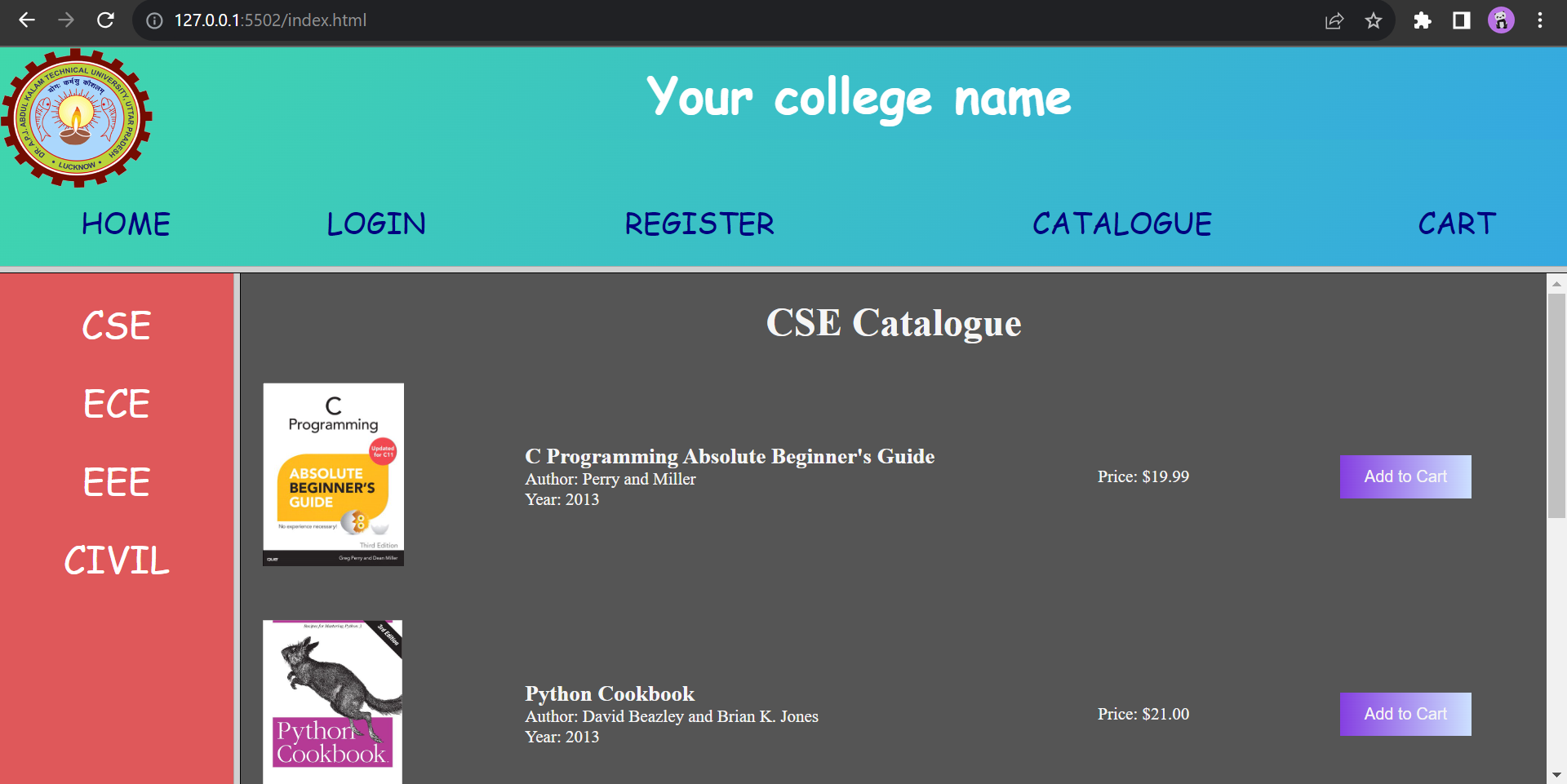
<h1>CSE Department Book Catalogue</h1>
</center>
<div class="book-container">
<div class="book-image">
<img src="https://coollagers.com/bookimage/Cabsolutebeginnersguid.jpg" alt="C Programming Book">
</div>
<div class="book-details">
<h3>C Programming Absolute Beginner's Guide</h3>
<p>Author: Perry and Miller<br>Year: 2013</p>
</div>
<div class="book-price">
<p>Price: $19.99</p>
</div>
<div class="add-to-cart">
<button onclick="addToCart('C Programming Absolute Beginners Guide', 19.99)">Add to Cart</button>
</div>
</div>
<div class="book-container">
<div class="book-image">
<img src="https://coollagers.com/bookimage/pythoncrookbook.jpg" alt="Python Cookbook">
</div>
<div class="book-details">
<h3>Python Cookbook</h3>
<p>Author: David Beazley and Brian K. Jones<br>Year: 2013</p>
</div>
<div class="book-price">
<p>Price: $21.00</p>
</div>
<div class="add-to-cart">
<button onclick="addToCart('Python Cookbook', 21.00)">Add to Cart</button>
</div>
</div>
<div class="book-container">
<div class="book-image">
<img src="https://coollagers.com/bookimage/jsdefinative.jpg" alt="JavaScript Guide">
</div>
<div class="book-details">
<h3>JavaScript: The Definitive Guide</h3>
<p>Author: David Flanagan<br>Year: 2011</p>
</div>
<div class="book-price">
<p>Price: $20.99</p>
</div>
<div class="add-to-cart">
<button onclick="addToCart('JavaScript: The Definitive Guide', 20.99)">Add to Cart</button>
</div>
</div>
<div class="book-container">
<div class="book-image">
<img src="https://coollagers.com/bookimage/Think%20Java.jpg" alt="Think Java Book">
</div>
<div class="book-details">
<h3>Think Java</h3>
<p>Author: Allen B. Downey and Chris Mayfield<br>Year: 2016</p>
</div>
<div class="book-price">
<p>Price: $30.99</p>
</div>
<div class="add-to-cart">
<button onclick="addToCart('Think Java', 30.99)">Add to Cart</button>
</div>
</div>
<div style="margin-top: 25px; text-align: center;">
<a href="cart.html" class="cart-link">→ View Shopping Cart</a>
</div>
<script>
function addToCart(title, price) {
console.log('Adding to cart:', { title, price });
let cart = JSON.parse(localStorage.getItem('cart')) || [];
let total = parseFloat(localStorage.getItem('total')) || 0;
const existingBookIndex = cart.findIndex(item => item.title === title);
if (existingBookIndex !== -1) {
cart[existingBookIndex].quantity += 1;
cart[existingBookIndex].amount += price;
} else {
cart.push({ title, price, quantity: 1, amount: price });
}
total += price;
localStorage.setItem('cart', JSON.stringify(cart));
localStorage.setItem('total', total.toFixed(2));
alert(title + ' has been added to your cart!');
}
</script>
</body>
</html>